
Notebooks Pro
DroidVeda LLPLifestyle
4.6443.00 Reviews
- Version
- 7.0
- Installs
- 10.00K
- Age Rating
- Everyone
Screenshots



Our Review of Notebooks Pro
 Analysis by Appyee
Ever found yourself juggling multiple note-taking apps, each with its unique quirks and limitations? Enter Notebooks Pro, an app designed to bring all your note-taking needs under one roof. Whether you're jotting down quick thoughts, drafting elaborate documents, or organizing your life's chaos into structured lists, this app has got you covered.
First Impressions
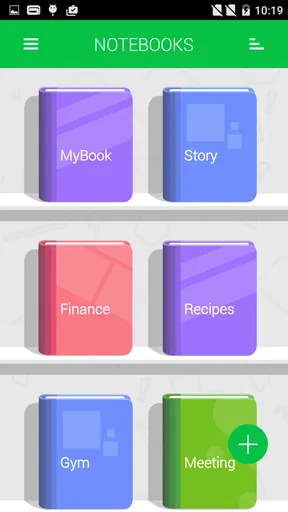
From the moment you fire up Notebooks Pro, you're greeted with a clean and intuitive interface. It's the kind of app that feels like a natural extension of your mind, letting you capture ideas as they come without any fuss. The design strikes a perfect balance between functionality and aesthetics, making it a pleasure to use daily.
Features That Stand Out
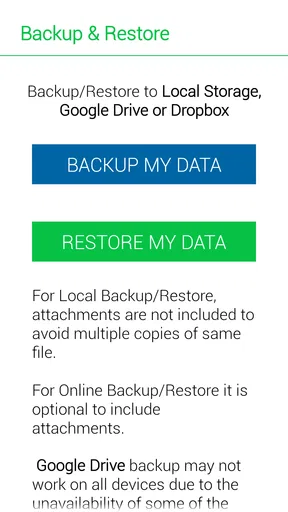
One of the first things you'll notice is the app's flexibility. You can create text notes, to-do lists, or even sketches if you're feeling particularly artistic. The search functionality is robust, allowing you to find any note in seconds. Plus, the app syncs seamlessly across devices, meaning your notes are always at your fingertips, whether you're on your phone or tablet.
Another feature worth mentioning is the app's organizational capabilities. With tags and folders, you can categorize your notes any way you want—perfect for those who love to keep things tidy. And if you're someone who thrives on productivity hacks, the app integrates with calendar apps to turn your notes into actionable plans.
Performance and Usability
Performance-wise, Notebooks Pro is as smooth as butter. I didn't experience any lag or crashes, even with numerous notes open at once. It's clear that the developers have put a lot of thought into making the app as stable and reliable as possible.
The usability factor is high. Even if you're not tech-savvy, you'll find navigating the app a breeze. Buttons and menus are where you'd expect them to be, and the learning curve is minimal. It's one of those apps where you can start using it immediately without needing a tutorial.
Security and Privacy
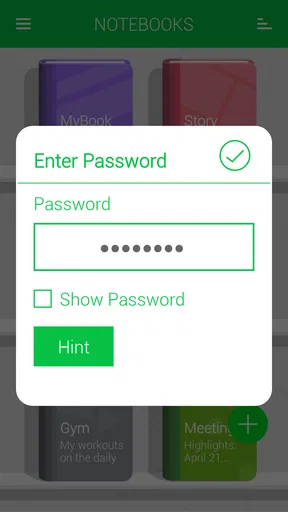
In today's digital age, privacy is a big concern, and Notebooks Pro takes this seriously. Your notes are encrypted, and you can set up a passcode or use biometric authentication to keep prying eyes away. Knowing your data is secure adds a comforting layer of trust.
Room for Improvement
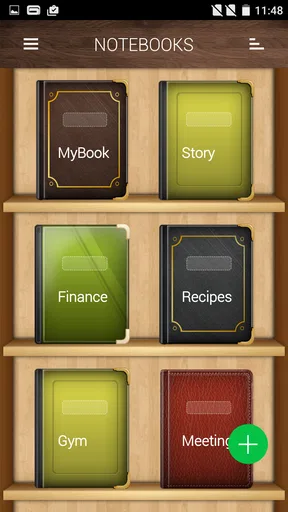
While Notebooks Pro is impressive, there's always room for growth. Some users might find the customization options limited; for instance, the ability to change themes or further personalize the interface could enhance the user experience. Also, it would be great to see more integration options with third-party apps in future updates.
Final Thoughts
Overall, Notebooks Pro is a powerhouse for anyone serious about note-taking and organization. Its blend of features and usability makes it a top contender in its category. Whether you're a student, professional, or someone who just loves jotting things down, this app is worth a try. It's like having a digital notebook that adapts to your every need, and that's something we all could use a bit more of in our chaotic lives.
Verdict
Strengths of Notebooks Pro
- Intuitive interface for easy navigation.
- Supports multiple file formats seamlessly.
- Robust cloud sync for data safety.
- Customizable themes enhance user experience.
- Efficient organization with tags and folders.
Limitations of Notebooks Pro
- Limited free version features.
- Occasional sync delays with cloud services.
- No offline access for some features.
- High battery usage during long sessions.
- Requires subscription for premium tools.
Similar Picks in This Category
View All
SmartThings
Samsung Electronics Co., Ltd.4.6

Google Home
Google LLC4.0

Pinterest4.2

Astrotalk - Talk to Astrologer
Astrology & Horoscope4.7

My Verizon
Verizon Consumer Group4.5

Samsung Wallet (Samsung Pay)
Samsung Electronics Co., Ltd.4.1
Frequently Asked Questions
What features does Notebooks Pro offer?
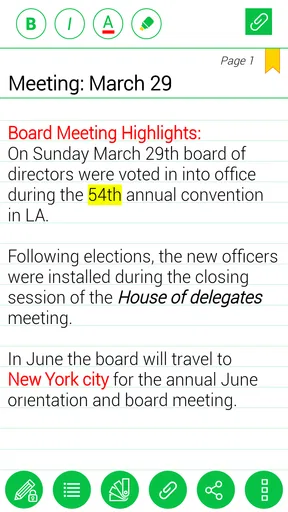
Notebooks Pro provides a wide range of features, including the ability to create and organize notes, to-do lists, and reminders. It supports rich text formatting, allowing users to customize their notes with different fonts and colors. Additionally, it offers cloud synchronization, ensuring your notes are accessible across multiple devices.
Is Notebooks Pro available on both Android and iOS?
Yes, Notebooks Pro is available for download on both Android and iOS platforms. This cross-platform availability ensures that users can seamlessly access and edit their notes regardless of the device they are using, making it a versatile choice for anyone looking to organize their thoughts digitally.
Does Notebooks Pro support offline usage?
Absolutely! Notebooks Pro allows users to access and edit their notes offline. This feature is particularly useful for those who may not always have internet access but still need to manage their notes and tasks efficiently. Once back online, any changes are synchronized across devices.
Are there any customization options available in Notebooks Pro?
Yes, Notebooks Pro offers numerous customization options. Users can personalize their interface, apply different themes, and organize notes in folders or tags. This flexibility allows users to tailor the app to their personal preferences, enhancing the overall user experience and productivity.
Is my data secure with Notebooks Pro?
Notebooks Pro takes data security seriously, offering encryption and secure cloud storage options. Users can feel confident that their personal information and notes are protected. Additionally, the app supports password protection for added security, ensuring only authorized access to your notes.
